

📄 Product Description
MMD KM16 Pro — the power tool for your workflow
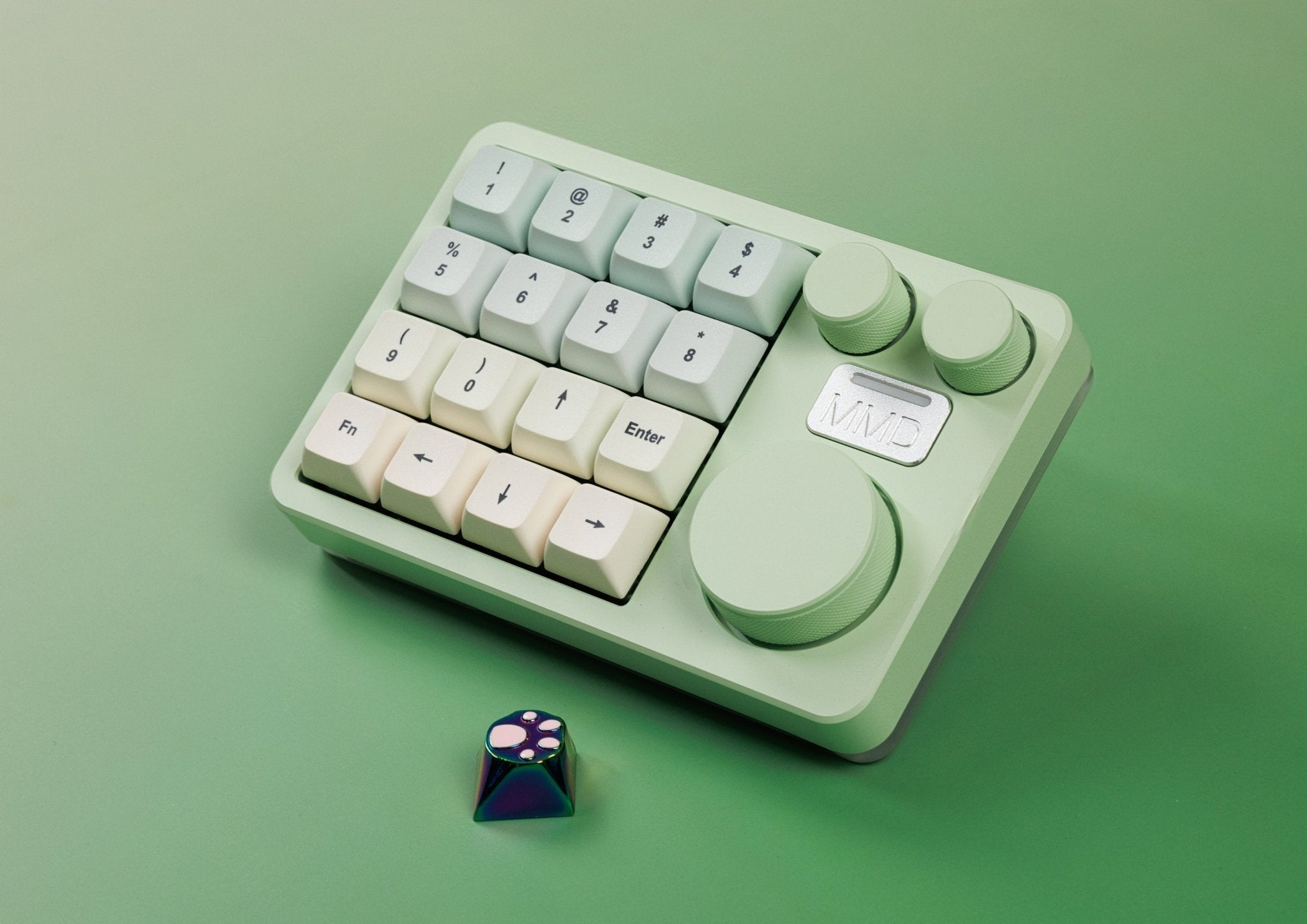
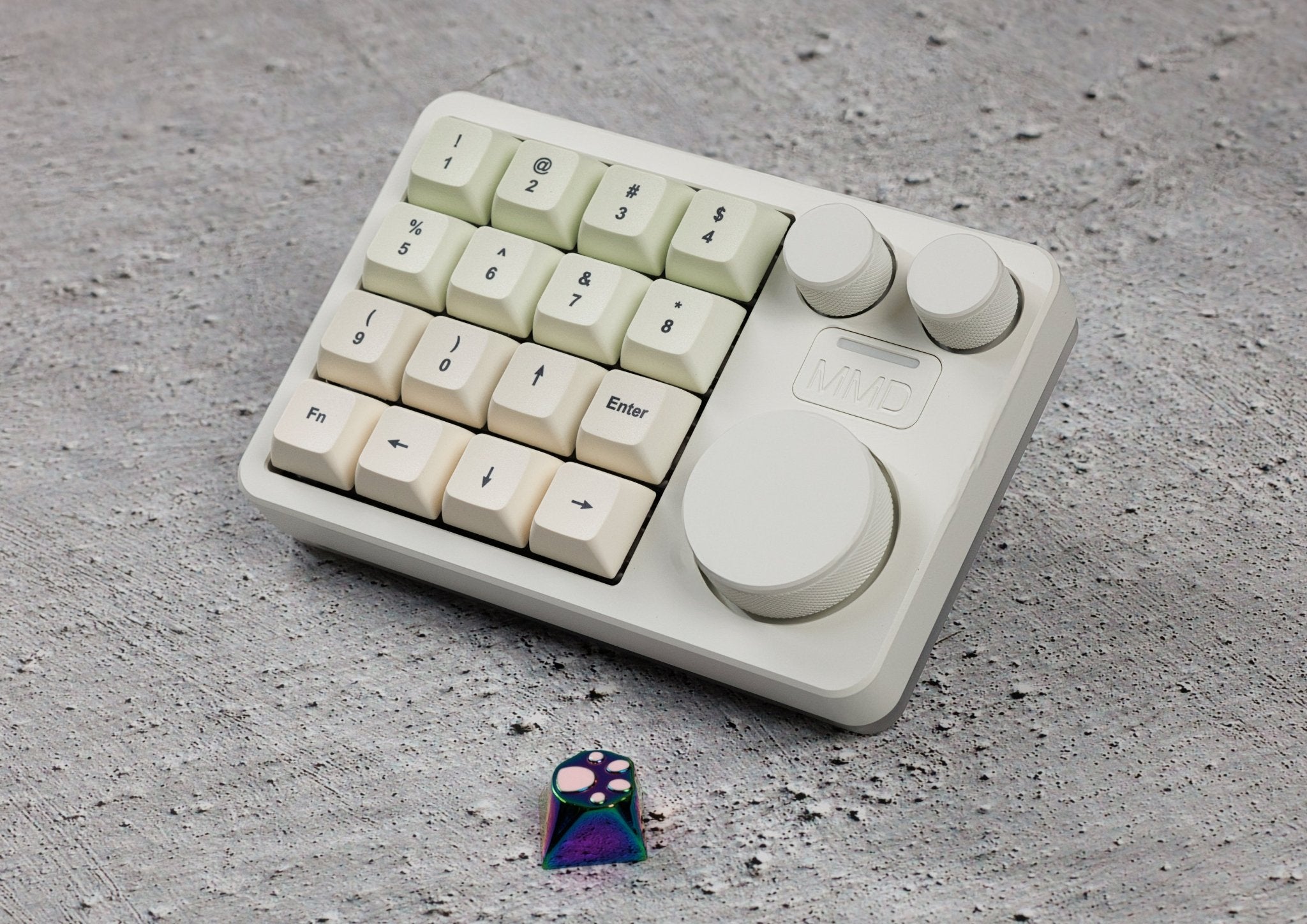
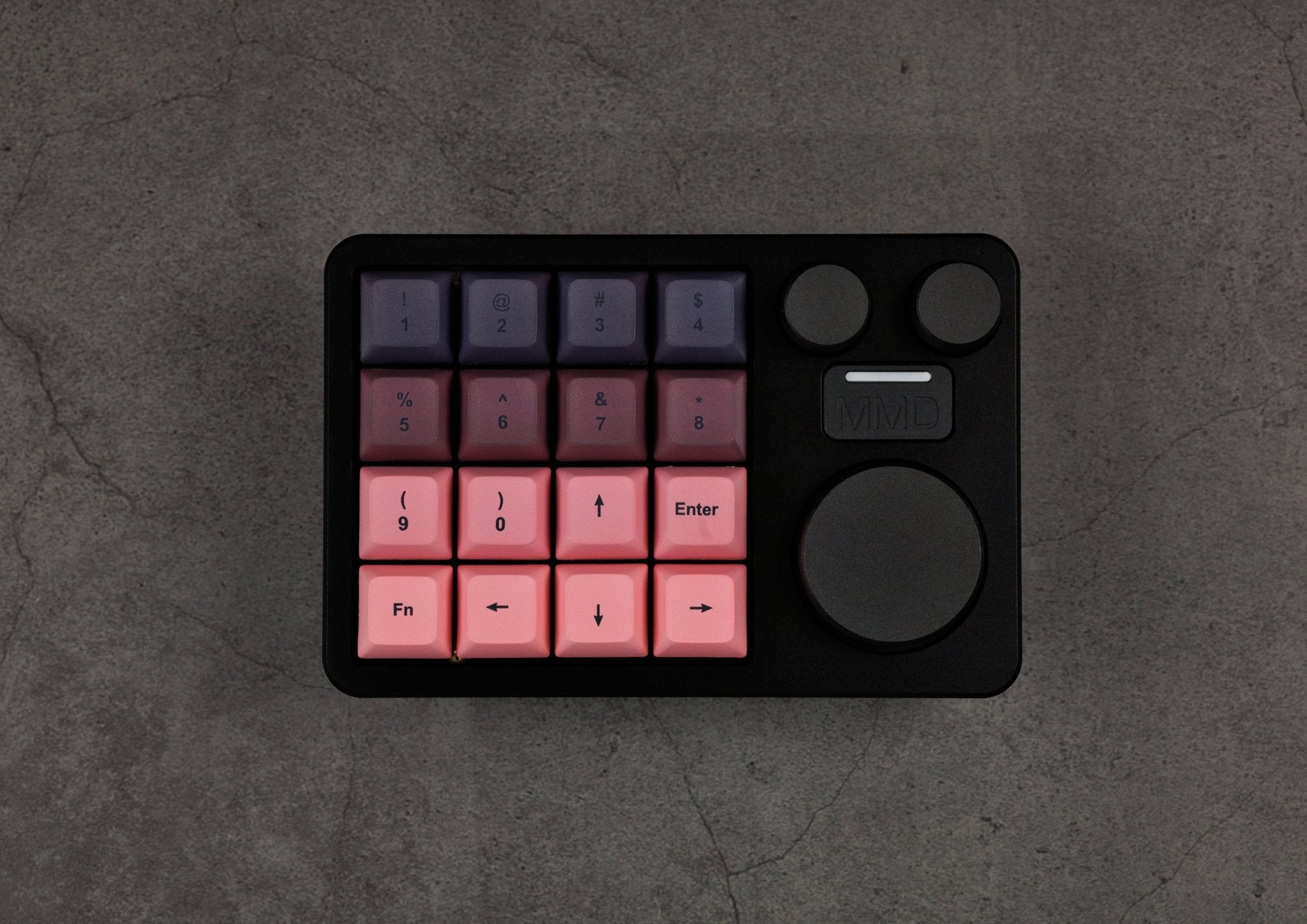
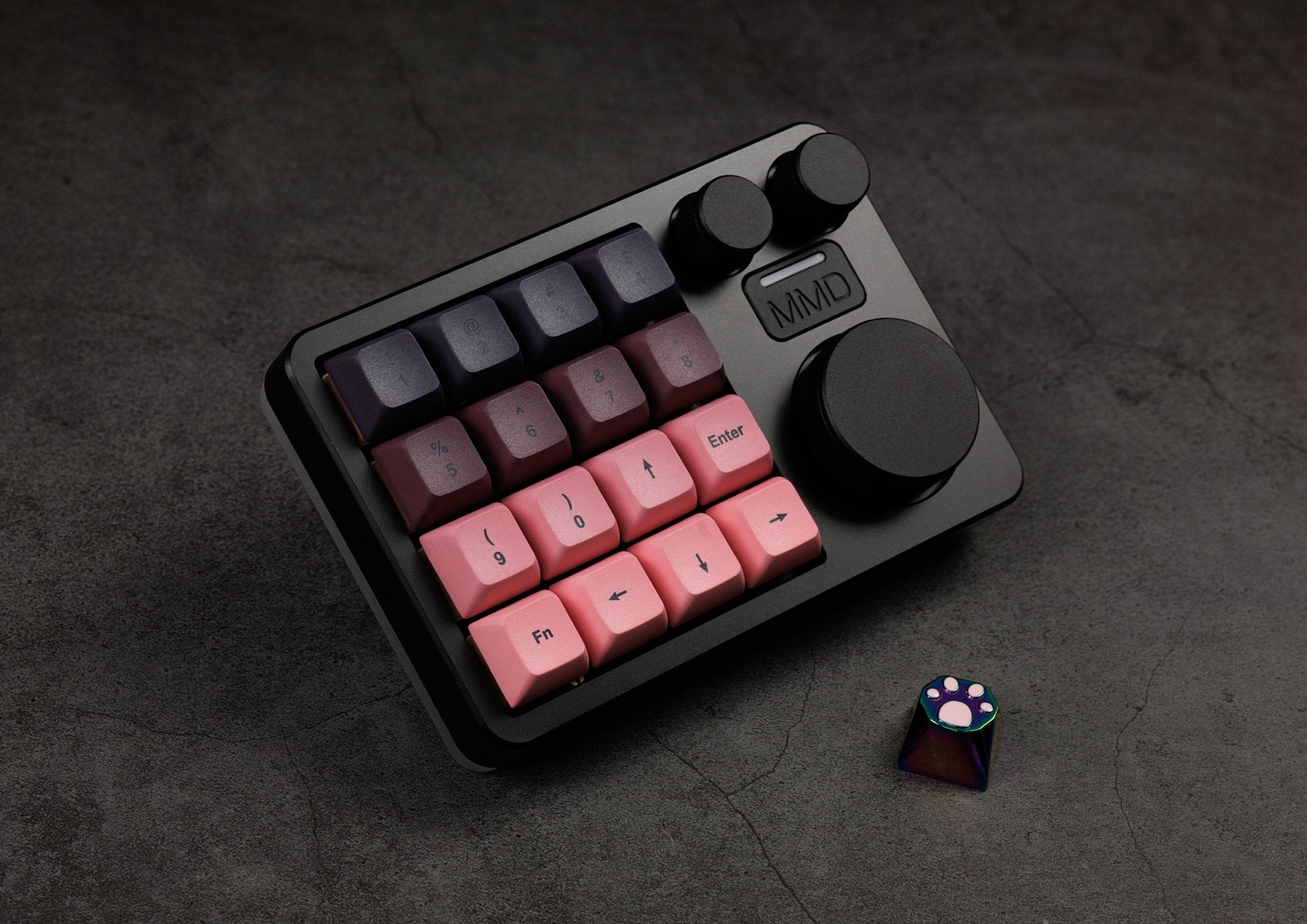
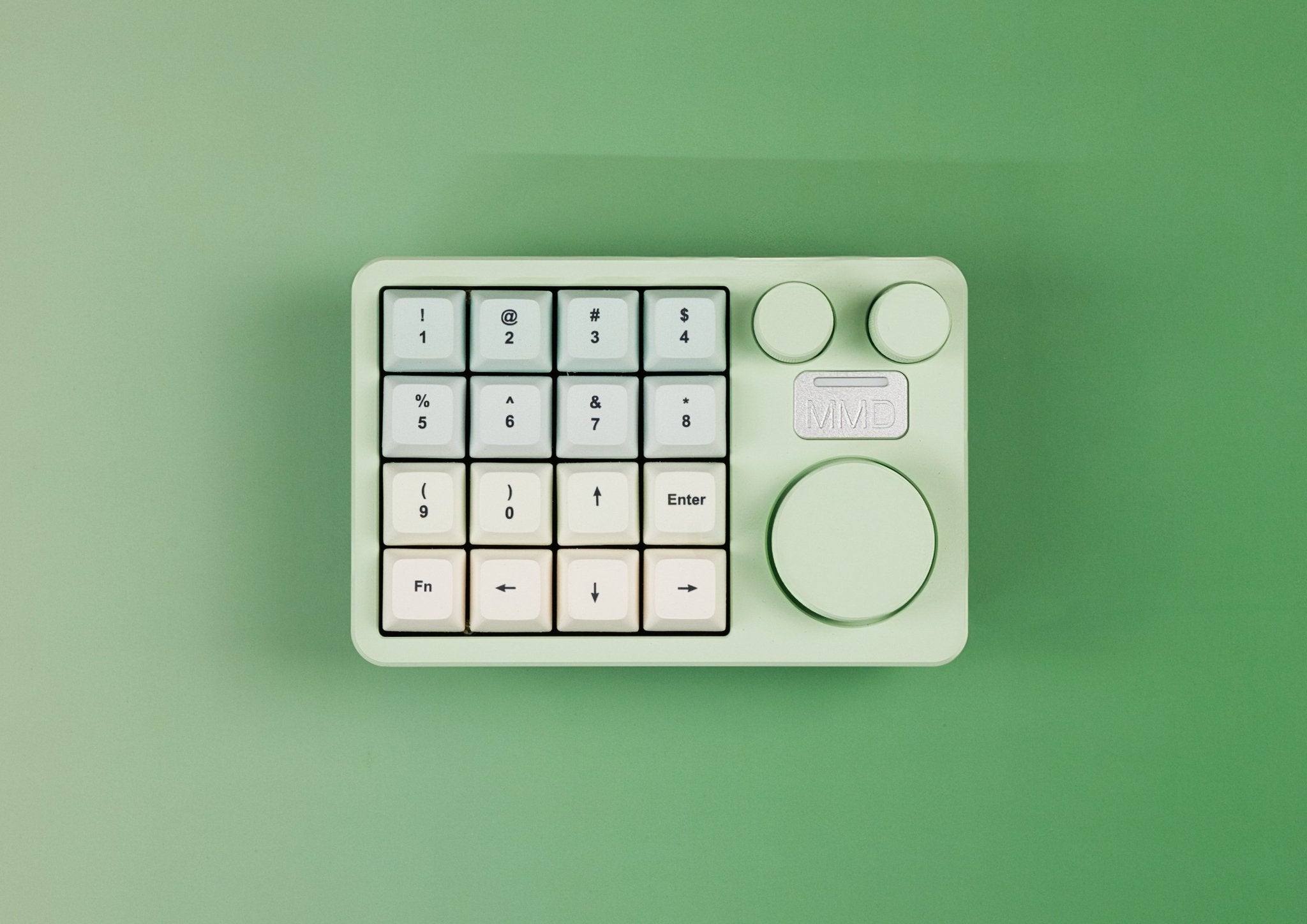
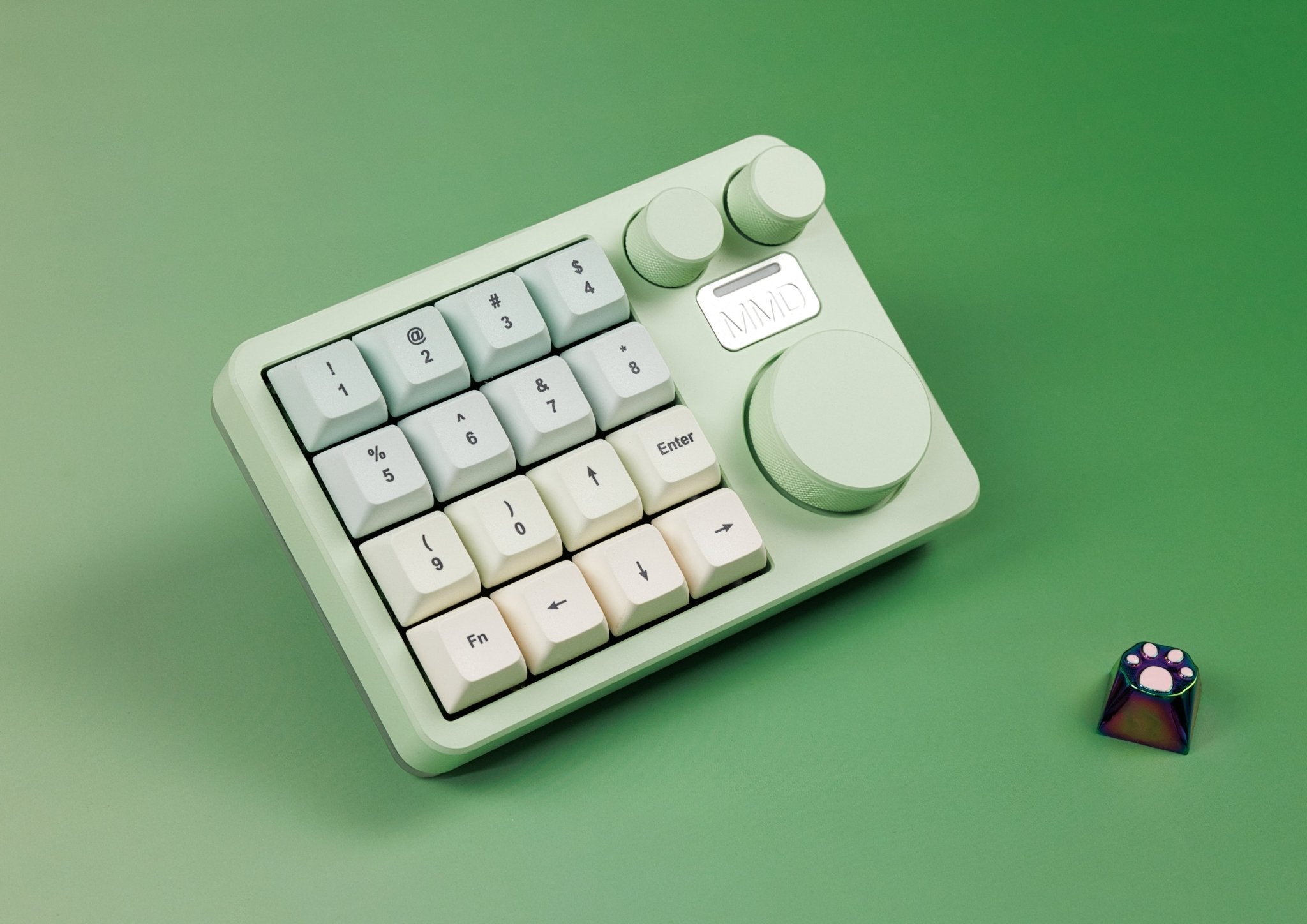
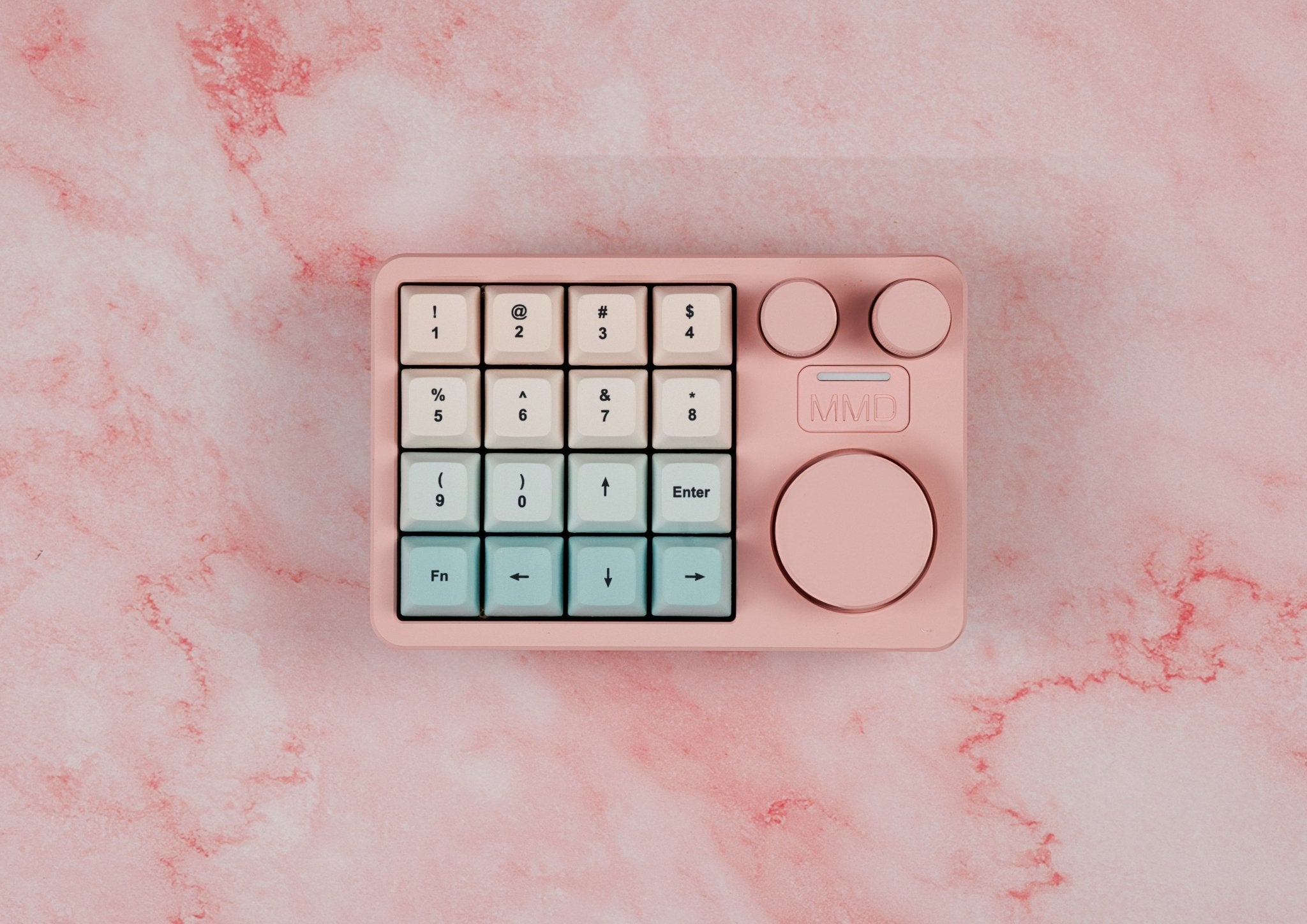
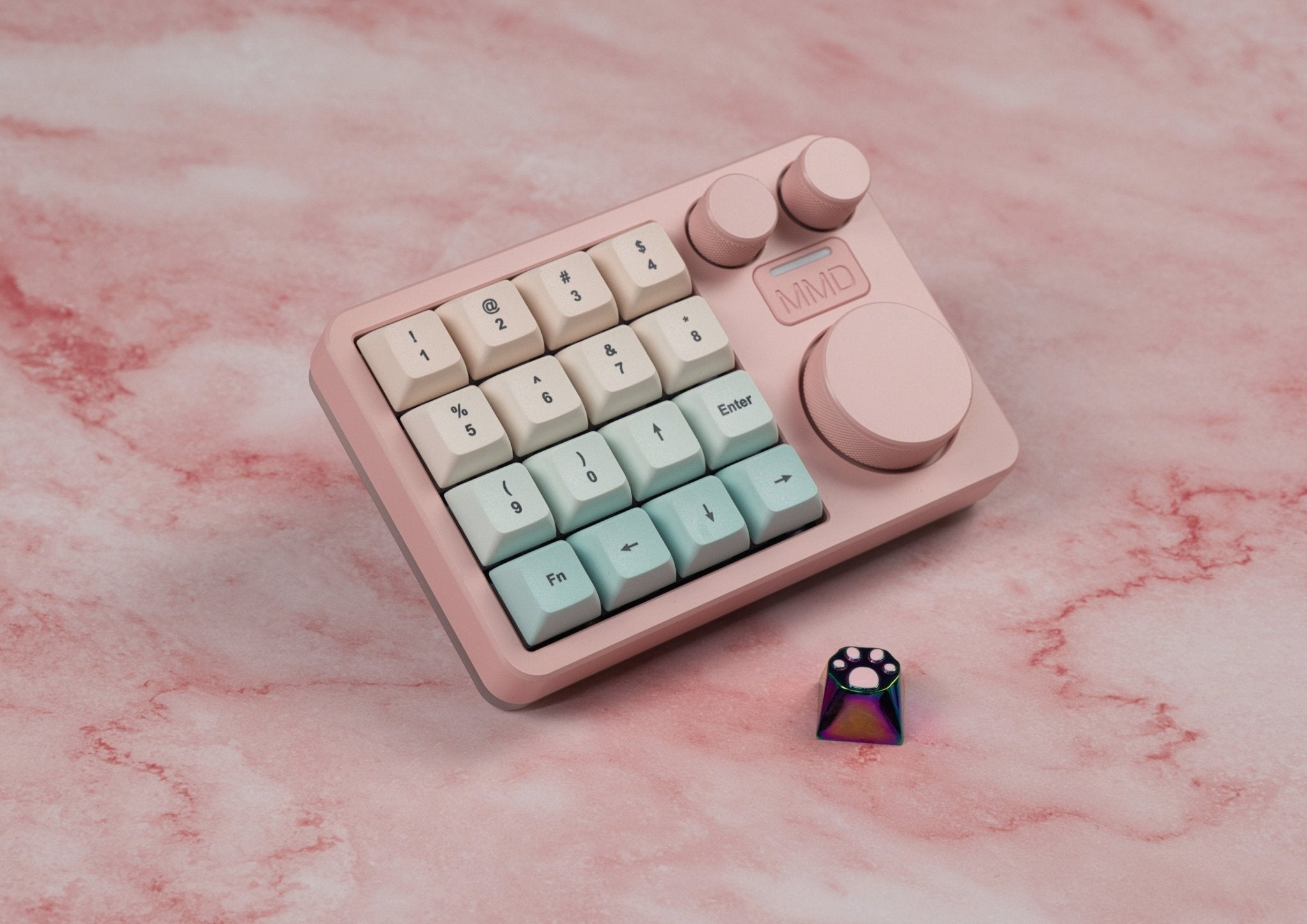
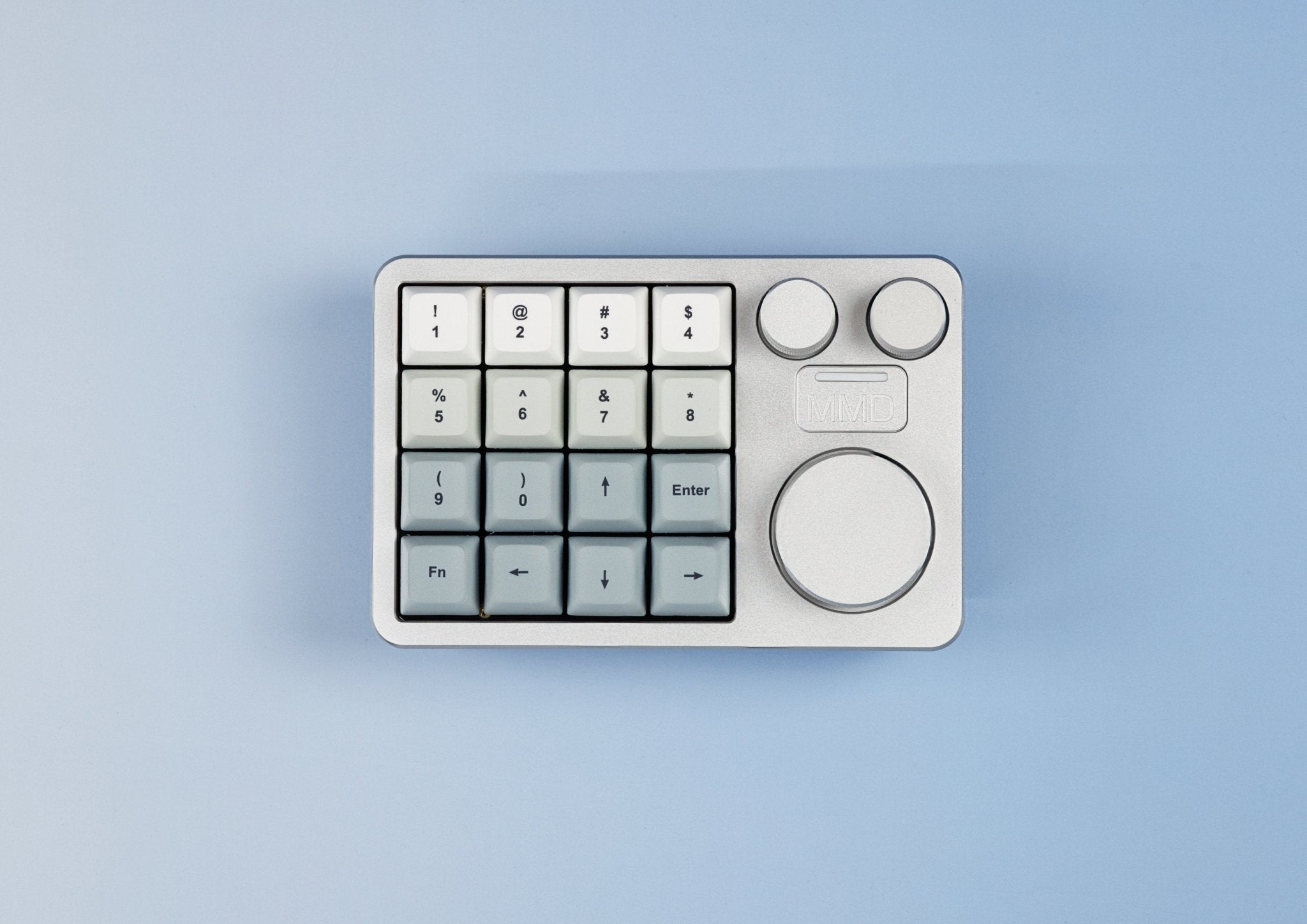
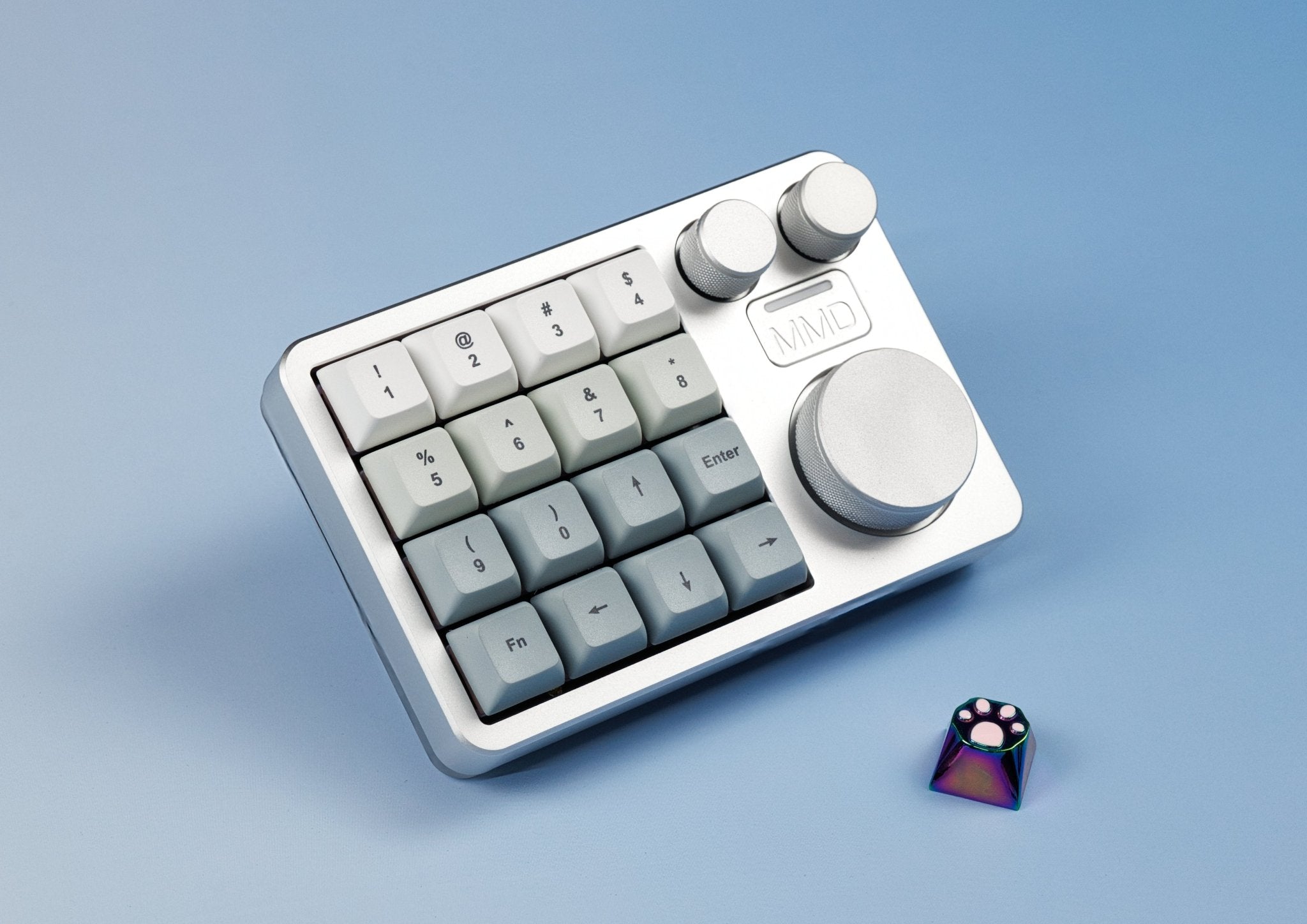
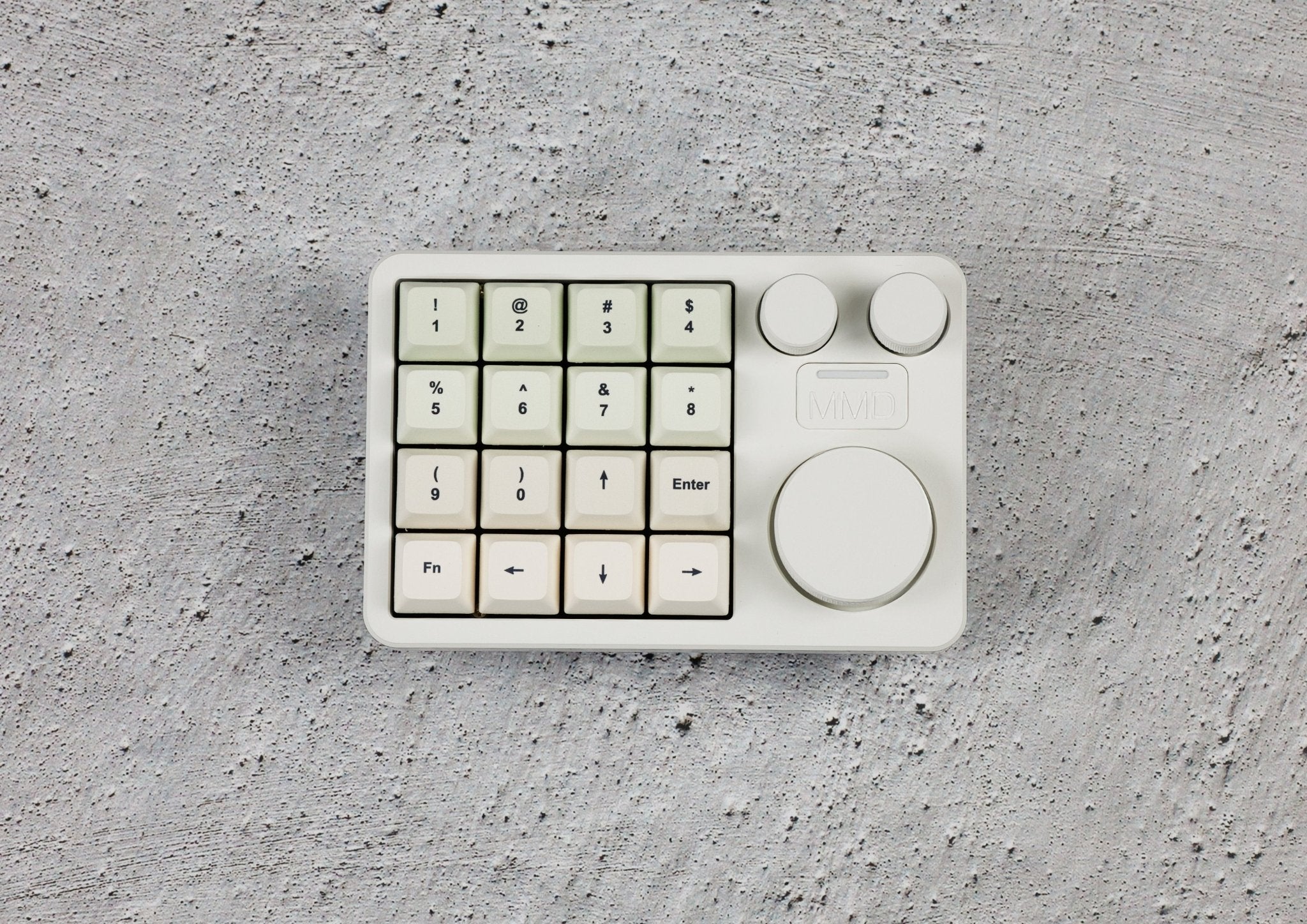
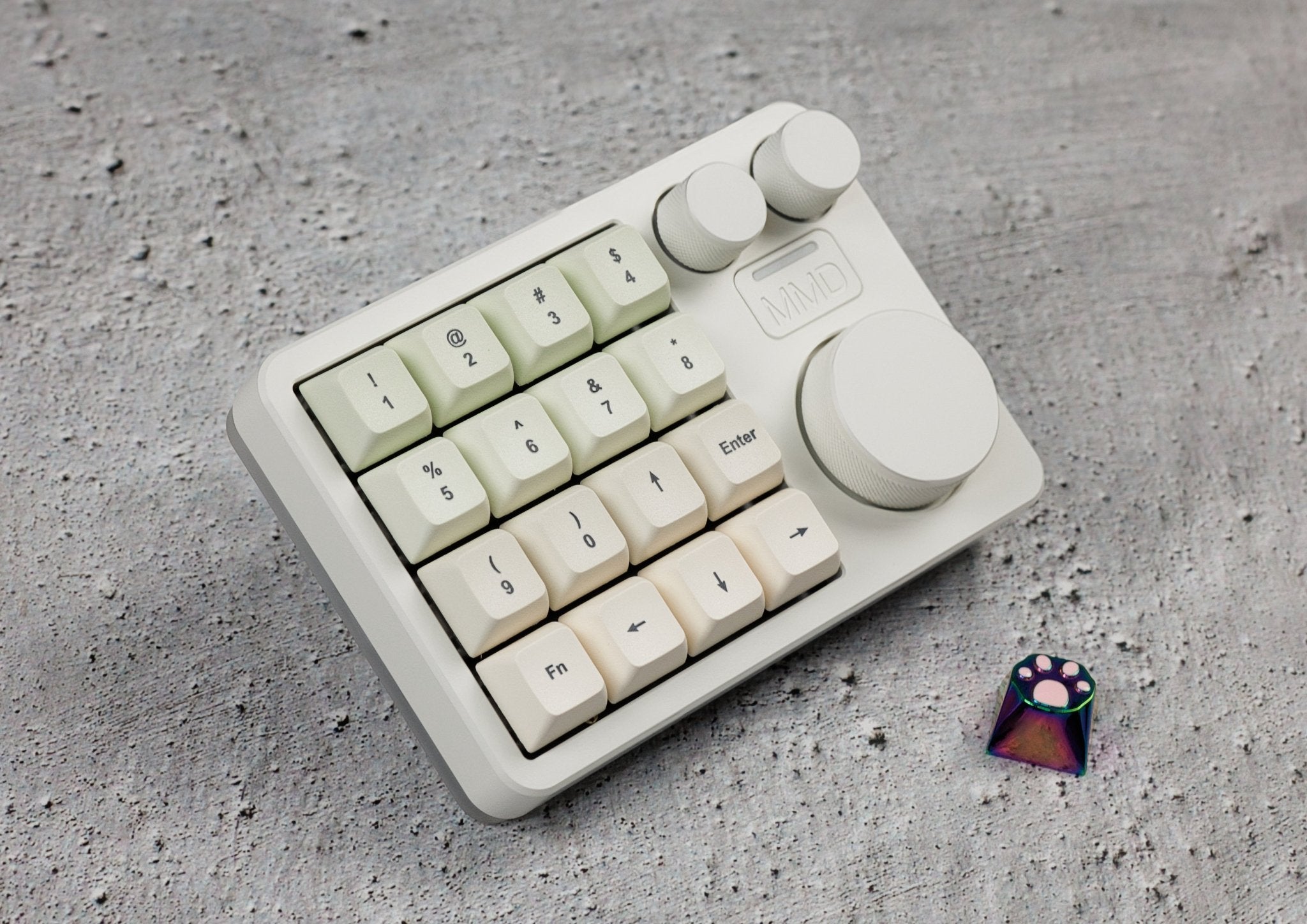
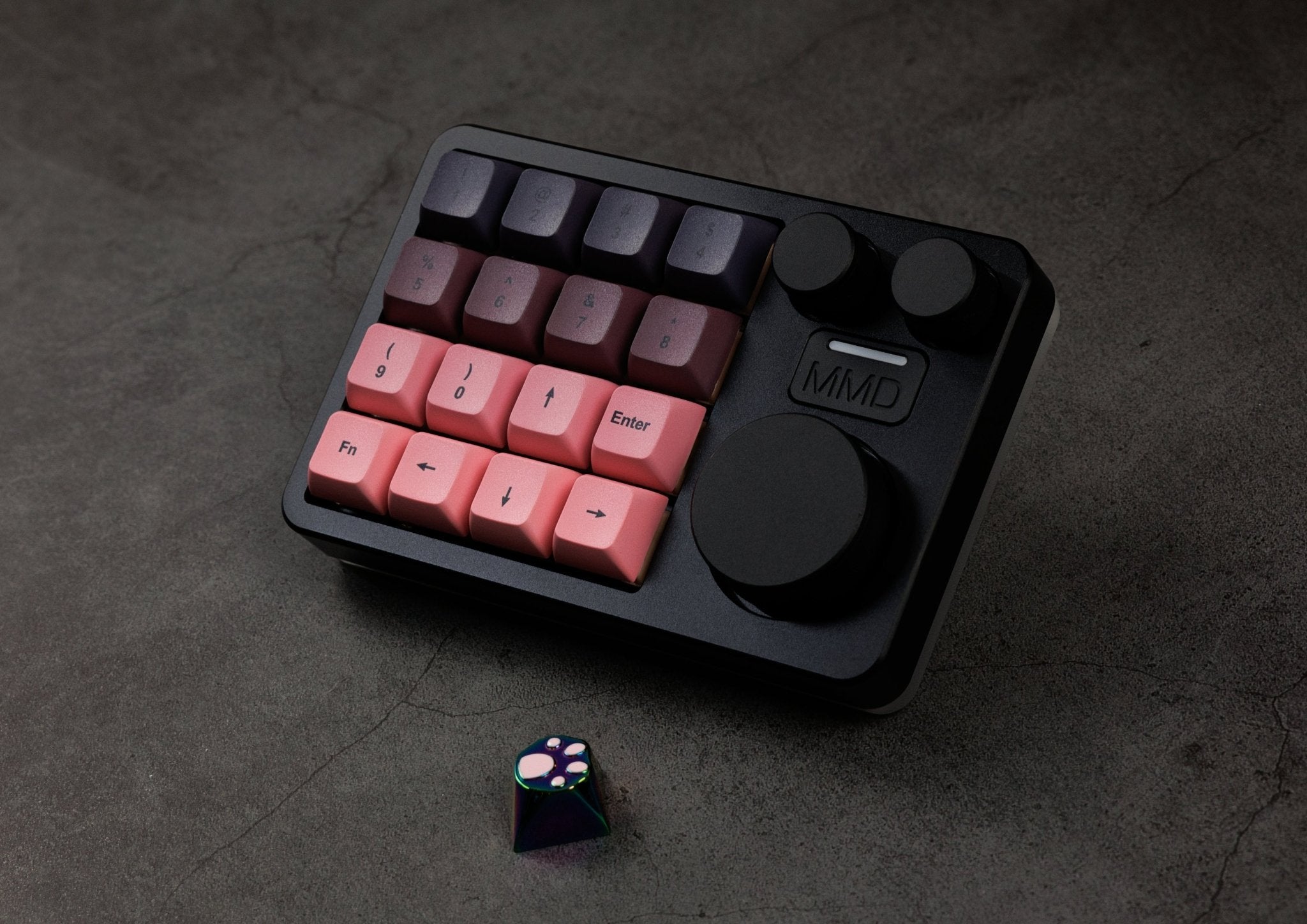
The MMD KM16 Pro is more than just a numpad — it's a fully programmable macropad with 16 keys and 3 clickable rotary knobs that takes your workflow to a new level. Whether you're editing videos, working in Photoshop or Lightroom, programming, gaming, or just want to work more efficiently with your computer — the KM16 Pro puts 16 freely assignable keys and three precise rotary knobs right at your fingertips. Premium-built from CNC aluminum with a polycarbonate base for stylish RGB underglow, with tri-mode connectivity, hot-swap PCB, and full QMK/VIA customization.

Macropad with numpad capability — you decide what it should be
By default, the KM16 Pro is designed as a macropad — meaning an input device where you assign each key its own function (shortcut, command sequence, app command). But anyone who'd rather have a classic numeric keypad can configure the KM16 Pro exactly that way with a few clicks in VIA — the 16 keys become digits 0-9 and operators, the rotary knobs handle Tab/Enter/comma. So you don't have to commit — the KM16 Pro can do both, depending on your workflow or mood.
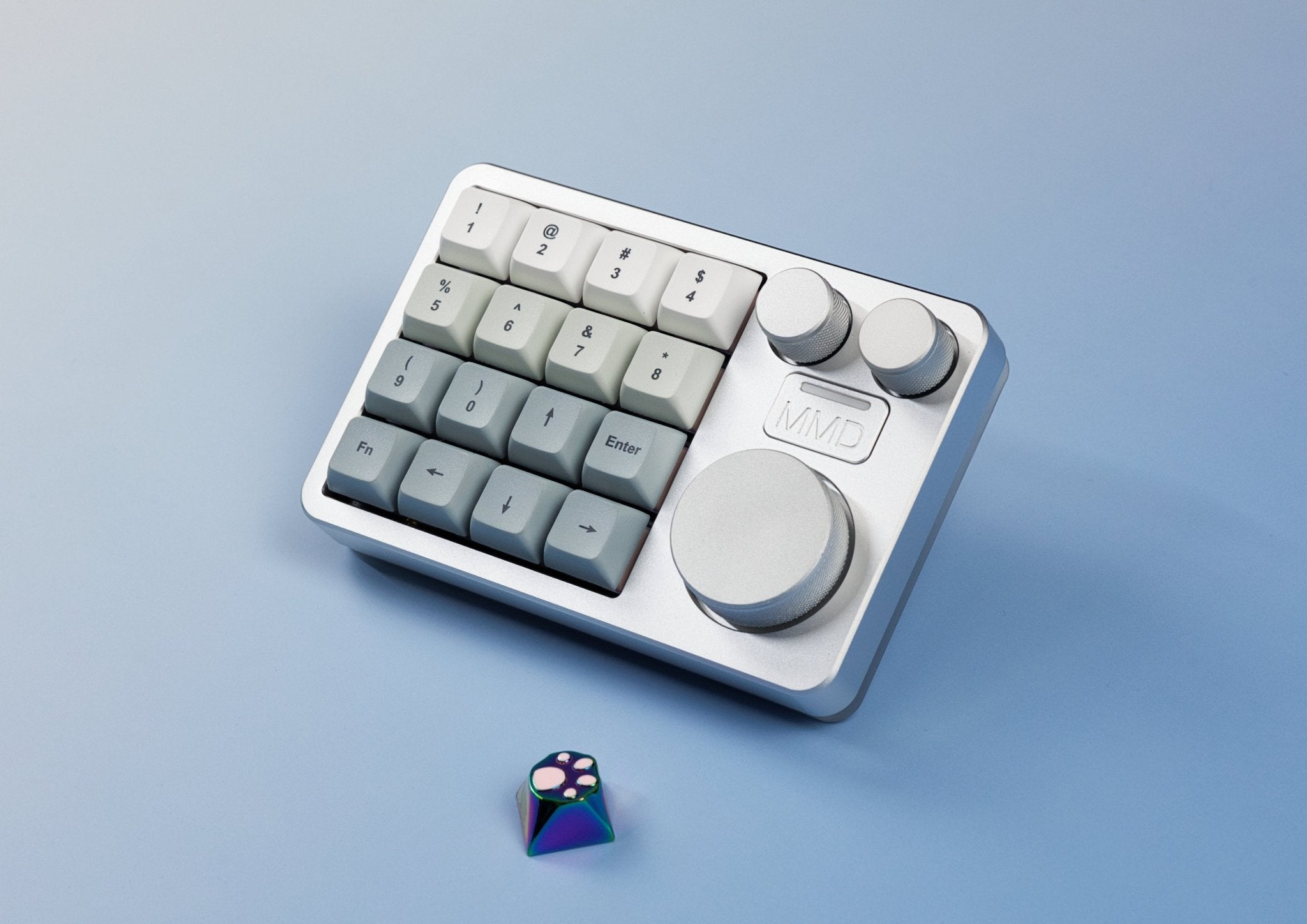
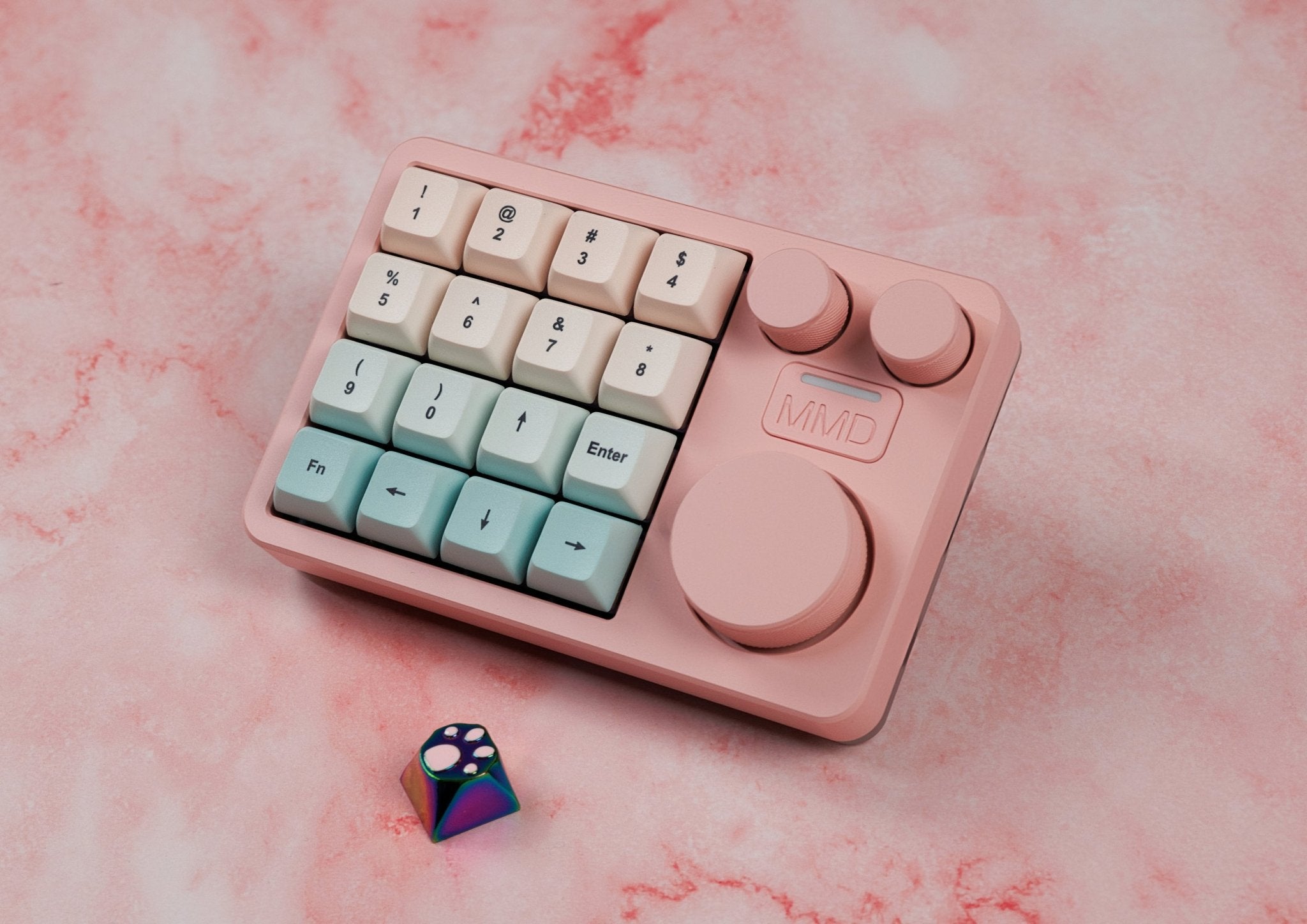
3 clickable rotary knobs — precise control for everything
What sets the KM16 Pro apart from simple macropads: the three fully programmable, clickable rotary knobs. Each knob recognizes three actions — turn left, turn right, and press. This makes them incredibly flexible tools for precise, stepless control. Real-world examples:
- Photoshop / Lightroom: Adjust brush size, tweak hue/saturation, fine-tune exposure — more precise than any slider
- Video editing (Premiere, DaVinci Resolve): Timeline scrubbing, audio levels, real-time speed adjustment
- 3D / CAD (Blender, Fusion 360): Zoom, rotation, parameter tuning without switching mouse hand
- Audio production (Ableton, FL Studio): Volume, pan, filter cutoff, send levels
- Office & browsing: Volume, scrolling, tab switching, brightness
- Gaming: Volume, weapon wheels, zoom, in-game sliders
The rotary knobs make the KM16 Pro a precise input device that simply can't be replaced by a mouse or classic key combinations in many applications.
CNC aluminum case with polycarbonate base
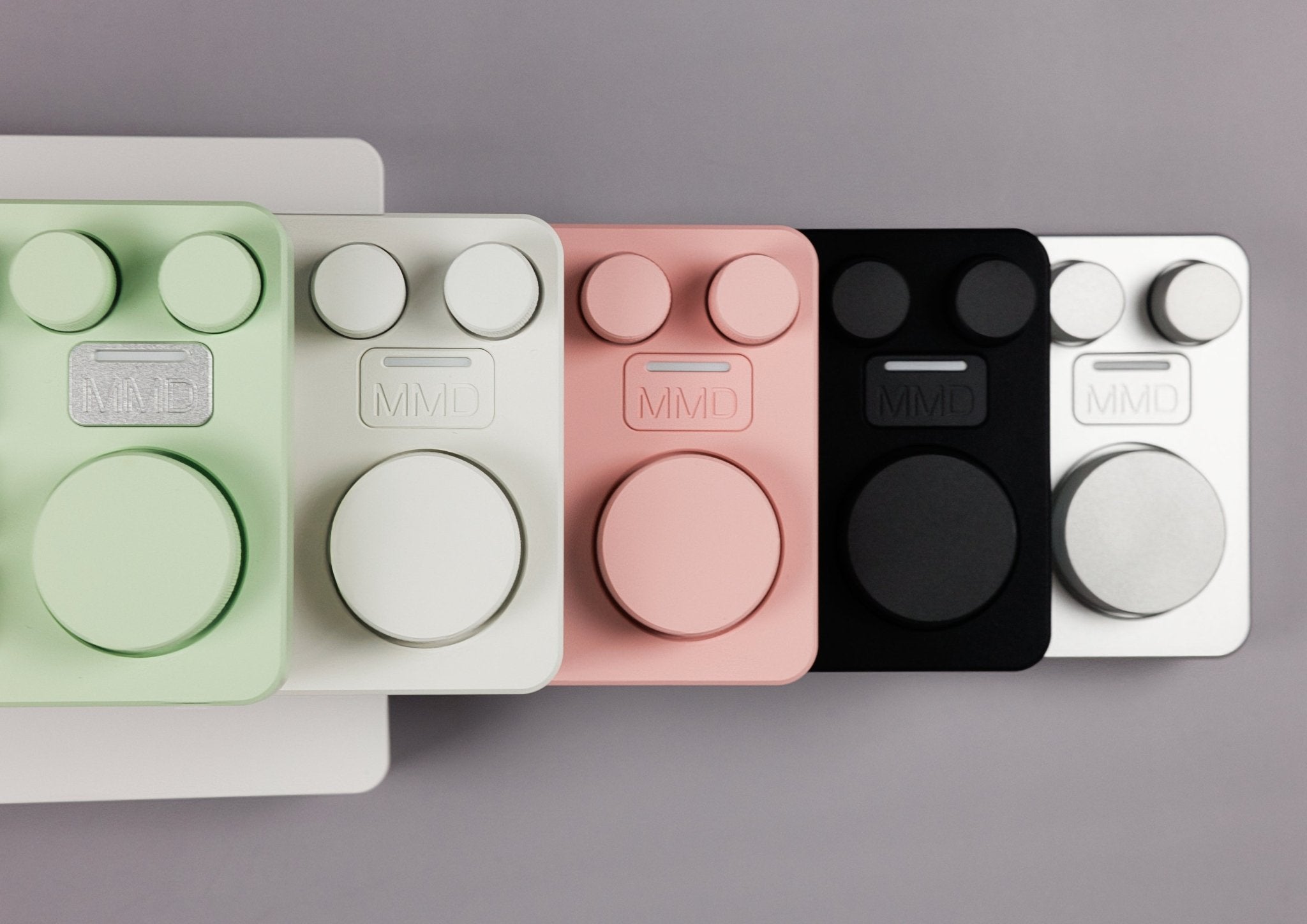
The KM16 Pro consists of two premium materials: a solid CNC-machined aluminum case on top and a translucent polycarbonate base plate. The polycarbonate base isn't just a design statement — it beautifully lets the internal RGB underglow shine through, creating a floating, modern look on your desk. The substantial aluminum top provides stable footing and the typical premium typing feel that sets it apart from a simple plastic keyboard.
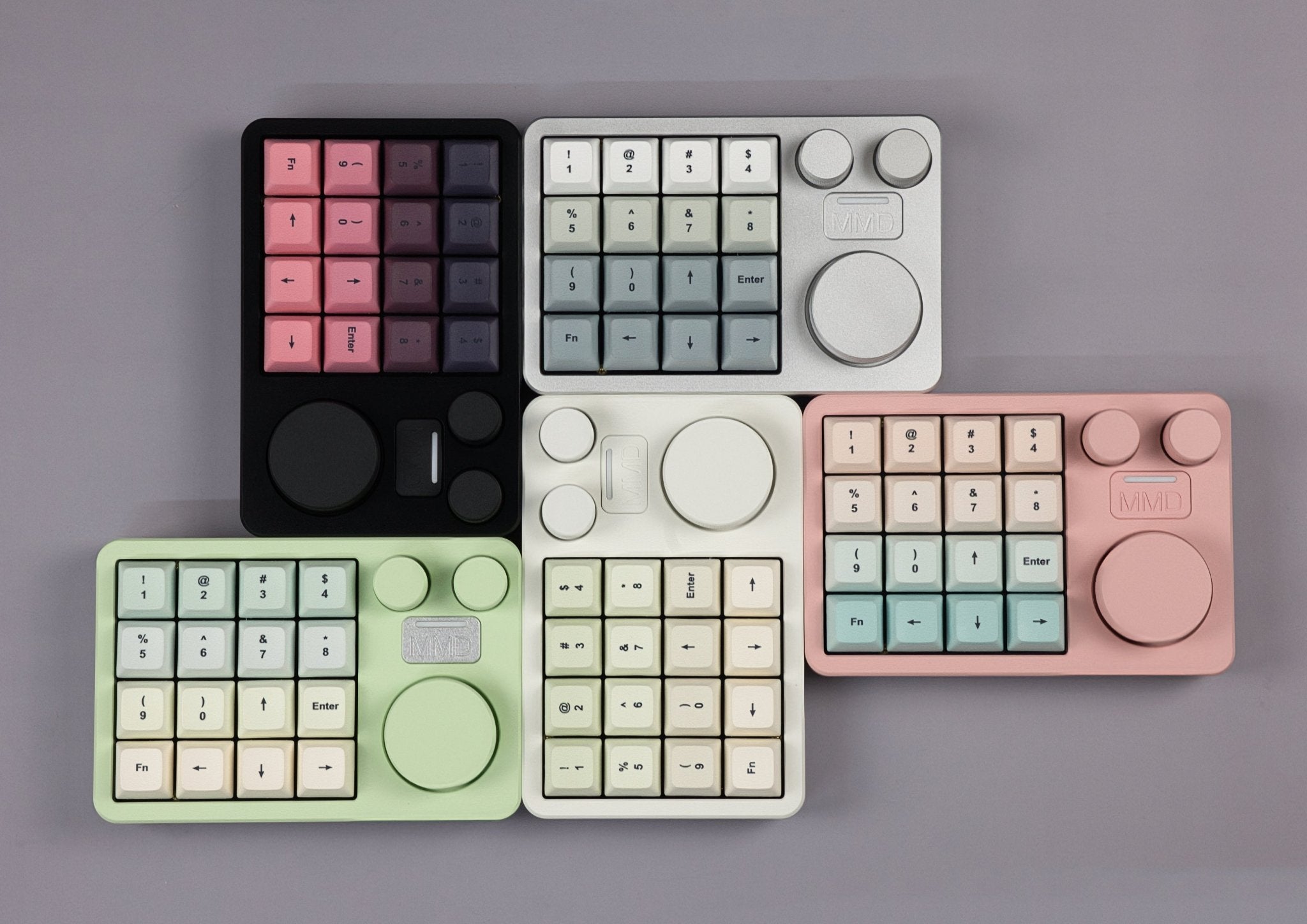
Five color variants each with matching switches
Like the KM40, MMD has assigned each color variant a thematically matched, pre-installed switch:
- Black — with MMD NP Linear switches (42gf, light and fatigue-free)
- Silver — with MMD Princess Tactile V2 switches (48gf, with tactile bump)
- White — with MMD Ink Linear switches (45gf, smooth and linear)
- Mint — with MMD Ink Tactile switches (62gf, strongly tactile)
- Pink — with MMD Princess Linear V2 switches (45gf, soft and smooth)
Thanks to the hot-swap PCB, you can swap the switches anytime for other MX-style switches without soldering.
Gasket mount for premium typing feel
Inside, the KM16 Pro uses a gasket mount system — the same mounting type found in significantly more expensive custom builds. The PCB is suspended on soft rubber gaskets, which cushions hard bottom-outs and delivers a noticeably more pleasant typing feel than classic tray mounts. Mounted on an FR4 plate, the KM16 Pro delivers a balanced, slightly "bouncy" typing feel with a clear sound profile.
Hot-swap PCB with QMK/VIA support
The KM16 Pro is fully hot-swappable — you can swap all 16 switches without a soldering iron, perfect for sampling and experimenting. The PCB is QMK/VIA compatible, which means:
- Each of the 16 keys is freely remappable
- All three rotary knobs (left/right/click) are individually programmable
- Record macros and assign them to keys or knobs
- Multiple layers for different application profiles (e.g., Photoshop layer, Premiere layer, numpad layer)
- Configuration directly in the browser via VIA — no driver installation needed
Especially with a macropad, this flexibility is crucial — every workflow is different, and with VIA you tune the KM16 Pro exactly to your applications.
Tri-mode connectivity for every setup
The KM16 Pro connects three ways:
- USB-C wired — direct, low-latency connection
- 2.4 GHz wireless via receiver — wire-free with minimal latency
- Bluetooth — perfect for mobile setups or tablet workflows
The 980 mAh battery delivers several days of runtime under normal use — depending on RGB settings and activity. Charging is via USB-C, and you can continue using the KM16 Pro normally while charging.
RGB lighting with character
The KM16 Pro features per-key RGB backlight as well as an additional RGB accent / underglow light that shines through the polycarbonate base. Both lighting systems are independently configurable — perfect for stylish setups or as visual feedback during layer changes (e.g., blue glow for Photoshop layer, red for gaming layer).
High-quality PBT keycaps
The included keycaps are high-quality PBT dye-sub keycaps — the legends are permanently anchored in the material and won't wear off. Even after years of intensive use, the surface stays grippy and the legends sharp.
The ideal companion to your main keyboard
The KM16 Pro isn't meant to replace your main keyboard — it's the perfect companion. Place it to the left of your keyboard (for left-handed macro setup) or to the right (for numpad function and rotary knob access). It takes up minimal space, looks stylish, and delivers tangible workflow benefits in almost any creative or technical field.
Who is the MMD KM16 Pro for?
- Content creators & streamers who want OBS scenes, audio levels, and stream control at their fingertips
- Video editors & colorists (Premiere, DaVinci, Final Cut) who use rotary knobs for timeline and scrubbing
- Photo editors & designers (Photoshop, Lightroom, Illustrator) looking for precise brush control and shortcut speed
- 3D artists & CAD users who want to control zoom, rotation, and parameters via rotary knobs
- Audio producers & DJs who need mixer control directly at their desk
- Programmers & power users who want to assign frequent shortcuts to dedicated keys
- Office users who simply want a full-featured numpad with premium build quality
🛠 Specifications
📦 What's in the Box
⭐ Reviews
MMD KM16 Pro — the power tool for your workflow
The MMD KM16 Pro is more than just a numpad — it's a fully programmable macropad with 16 keys and 3 clickable rotary knobs that takes your workflow to a new level. Whether you're editing videos, working in Photoshop or Lightroom, programming, gaming, or just want to work more efficiently with your computer — the KM16 Pro puts 16 freely assignable keys and three precise rotary knobs right at your fingertips. Premium-built from CNC aluminum with a polycarbonate base for stylish RGB underglow, with tri-mode connectivity, hot-swap PCB, and full QMK/VIA customization.
Macropad with numpad capability — you decide what it should be
By default, the KM16 Pro is designed as a macropad — meaning an input device where you assign each key its own function (shortcut, command sequence, app command). But anyone who'd rather have a classic numeric keypad can configure the KM16 Pro exactly that way with a few clicks in VIA — the 16 keys become digits 0-9 and operators, the rotary knobs handle Tab/Enter/comma. So you don't have to commit — the KM16 Pro can do both, depending on your workflow or mood.
3 clickable rotary knobs — precise control for everything
What sets the KM16 Pro apart from simple macropads: the three fully programmable, clickable rotary knobs. Each knob recognizes three actions — turn left, turn right, and press. This makes them incredibly flexible tools for precise, stepless control. Real-world examples:
- Photoshop / Lightroom: Adjust brush size, tweak hue/saturation, fine-tune exposure — more precise than any slider
- Video editing (Premiere, DaVinci Resolve): Timeline scrubbing, audio levels, real-time speed adjustment
- 3D / CAD (Blender, Fusion 360): Zoom, rotation, parameter tuning without switching mouse hand
- Audio production (Ableton, FL Studio): Volume, pan, filter cutoff, send levels
- Office & browsing: Volume, scrolling, tab switching, brightness
- Gaming: Volume, weapon wheels, zoom, in-game sliders
The rotary knobs make the KM16 Pro a precise input device that simply can't be replaced by a mouse or classic key combinations in many applications.
CNC aluminum case with polycarbonate base
The KM16 Pro consists of two premium materials: a solid CNC-machined aluminum case on top and a translucent polycarbonate base plate. The polycarbonate base isn't just a design statement — it beautifully lets the internal RGB underglow shine through, creating a floating, modern look on your desk. The substantial aluminum top provides stable footing and the typical premium typing feel that sets it apart from a simple plastic keyboard.
Five color variants each with matching switches
Like the KM40, MMD has assigned each color variant a thematically matched, pre-installed switch:
- Black — with MMD NP Linear switches (42gf, light and fatigue-free)
- Silver — with MMD Princess Tactile V2 switches (48gf, with tactile bump)
- White — with MMD Ink Linear switches (45gf, smooth and linear)
- Mint — with MMD Ink Tactile switches (62gf, strongly tactile)
- Pink — with MMD Princess Linear V2 switches (45gf, soft and smooth)
Thanks to the hot-swap PCB, you can swap the switches anytime for other MX-style switches without soldering.
Gasket mount for premium typing feel
Inside, the KM16 Pro uses a gasket mount system — the same mounting type found in significantly more expensive custom builds. The PCB is suspended on soft rubber gaskets, which cushions hard bottom-outs and delivers a noticeably more pleasant typing feel than classic tray mounts. Mounted on an FR4 plate, the KM16 Pro delivers a balanced, slightly "bouncy" typing feel with a clear sound profile.
Hot-swap PCB with QMK/VIA support
The KM16 Pro is fully hot-swappable — you can swap all 16 switches without a soldering iron, perfect for sampling and experimenting. The PCB is QMK/VIA compatible, which means:
- Each of the 16 keys is freely remappable
- All three rotary knobs (left/right/click) are individually programmable
- Record macros and assign them to keys or knobs
- Multiple layers for different application profiles (e.g., Photoshop layer, Premiere layer, numpad layer)
- Configuration directly in the browser via VIA — no driver installation needed
Especially with a macropad, this flexibility is crucial — every workflow is different, and with VIA you tune the KM16 Pro exactly to your applications.
Tri-mode connectivity for every setup
The KM16 Pro connects three ways:
- USB-C wired — direct, low-latency connection
- 2.4 GHz wireless via receiver — wire-free with minimal latency
- Bluetooth — perfect for mobile setups or tablet workflows
The 980 mAh battery delivers several days of runtime under normal use — depending on RGB settings and activity. Charging is via USB-C, and you can continue using the KM16 Pro normally while charging.
RGB lighting with character
The KM16 Pro features per-key RGB backlight as well as an additional RGB accent / underglow light that shines through the polycarbonate base. Both lighting systems are independently configurable — perfect for stylish setups or as visual feedback during layer changes (e.g., blue glow for Photoshop layer, red for gaming layer).
High-quality PBT keycaps
The included keycaps are high-quality PBT dye-sub keycaps — the legends are permanently anchored in the material and won't wear off. Even after years of intensive use, the surface stays grippy and the legends sharp.
The ideal companion to your main keyboard
The KM16 Pro isn't meant to replace your main keyboard — it's the perfect companion. Place it to the left of your keyboard (for left-handed macro setup) or to the right (for numpad function and rotary knob access). It takes up minimal space, looks stylish, and delivers tangible workflow benefits in almost any creative or technical field.
Who is the MMD KM16 Pro for?
- Content creators & streamers who want OBS scenes, audio levels, and stream control at their fingertips
- Video editors & colorists (Premiere, DaVinci, Final Cut) who use rotary knobs for timeline and scrubbing
- Photo editors & designers (Photoshop, Lightroom, Illustrator) looking for precise brush control and shortcut speed
- 3D artists & CAD users who want to control zoom, rotation, and parameters via rotary knobs
- Audio producers & DJs who need mixer control directly at their desk
- Programmers & power users who want to assign frequent shortcuts to dedicated keys
- Office users who simply want a full-featured numpad with premium build quality


